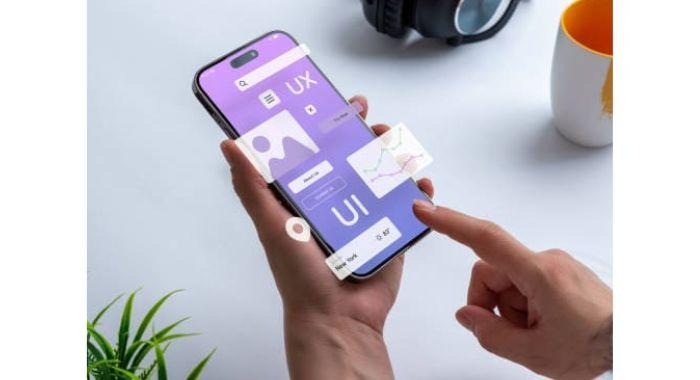
Anyone who wishes to watch a live match on their phones, they want it to be an easy thing and not a task. Watching live stream tournaments is difficult, as you have to look for small buttons when the goal is being scored. This is why good designs are required to make the app feel like a regular TV screen. It allows you to focus more on the game and the team, and if the app is difficult to use, fans get frustrated and leave the app. A great UI (user interface) design must feel natural. Below you learn about some rules that make such apps work so well.
Keep the Navigation Shallow and Simple
The best apps don’t hide their features in long menus, the buttons must be easy to find during the game. A simple menu bar at the bottom is the best way to add buttons so that your thumb does not interrupt during the game. This also allows apps to become easy to use with one hand, further allowing you to switch between video feed and live scores. Simple and easy-to-understand menus let you enjoy the game and reduce stress because nobody likes to get lost in menus during their favorite game.
Using High Contrast and Clear Colors for Better Reading
Streaming apps can be used anywhere, in homes or even outside in the bright sun. This is why such apps use text and colors that are easy to see. UI designs use large text sizes and high contrast colors to make the elements on the screen stand out clearly. For instance, white text on black background is a common combination, it allows people to see clearly at night and gives a modern look as well. Bold and dark colors are used to show which team currently has the upper hand. Such visuals help the brain to process information within seconds. Clear and bright designs allow you to stay updated about the game without having to put any extra effort.
Key Features of a Good Streaming App Design
UI designers focus on specific things to keep the app highly user-friendly. Below are the major parts of a successful UI:
- Responsive Playback: The video size must change without any error upon rotating the phone.
- Instant Notifications: Small alerts and notifications tell you when the game is about to start.
- Smart Search Menus: You must be able to find any team or league name instantly.
- Thumb-Friendly Buttons: Every main control must be easy to reach with one hand.
Such features make the app responsive and feel easy-to-use. It ensures that you don’t miss any moment of the live game, making the technology feel helpful instead of slow or confusing. A good UI must work on all kinds of screens and it should close the gap between the game and the fans. The technology disappears into the background when the app is designed well. It makes the sports world feel more accessible and closer.
The Importance of Live Data
A live stream is not only a video player, it is an app which shows real-time stats, scores, player names, fouls, and you can even hear live sports broadcasting. The UI must place the stats in a place where it does not block the live match. The app also must have small overlays so that you can hide these stats or scores by choice. This freedom and data makes the viewing experience exciting. Sports fans can also feel a deeper connection with the game. It makes a simple app into a high-tech information provider for sports fans.